
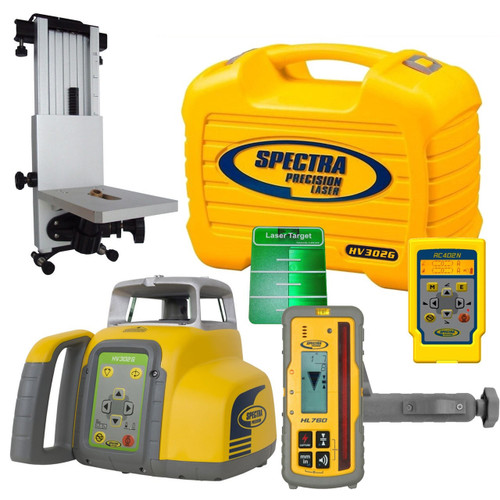


Spectra’s own package: horizontal / vertical green beam laser with the HL760U receiver, RC1402 remote, M304 wall mount, green target and glasses, rechargeable batteries and medium case
Includes: HL760U receiver, RC1402 remote, M304 wall mount, Q104124 green target, Q104252 green glasses, B10 rechargeable pack and charger, 100981-00 medium case
A green beam you can see indoors. Level, plumb and line from one laser.
 Authorized Dealer
The laser puts up a green line. The HL760U reads it and talks back.
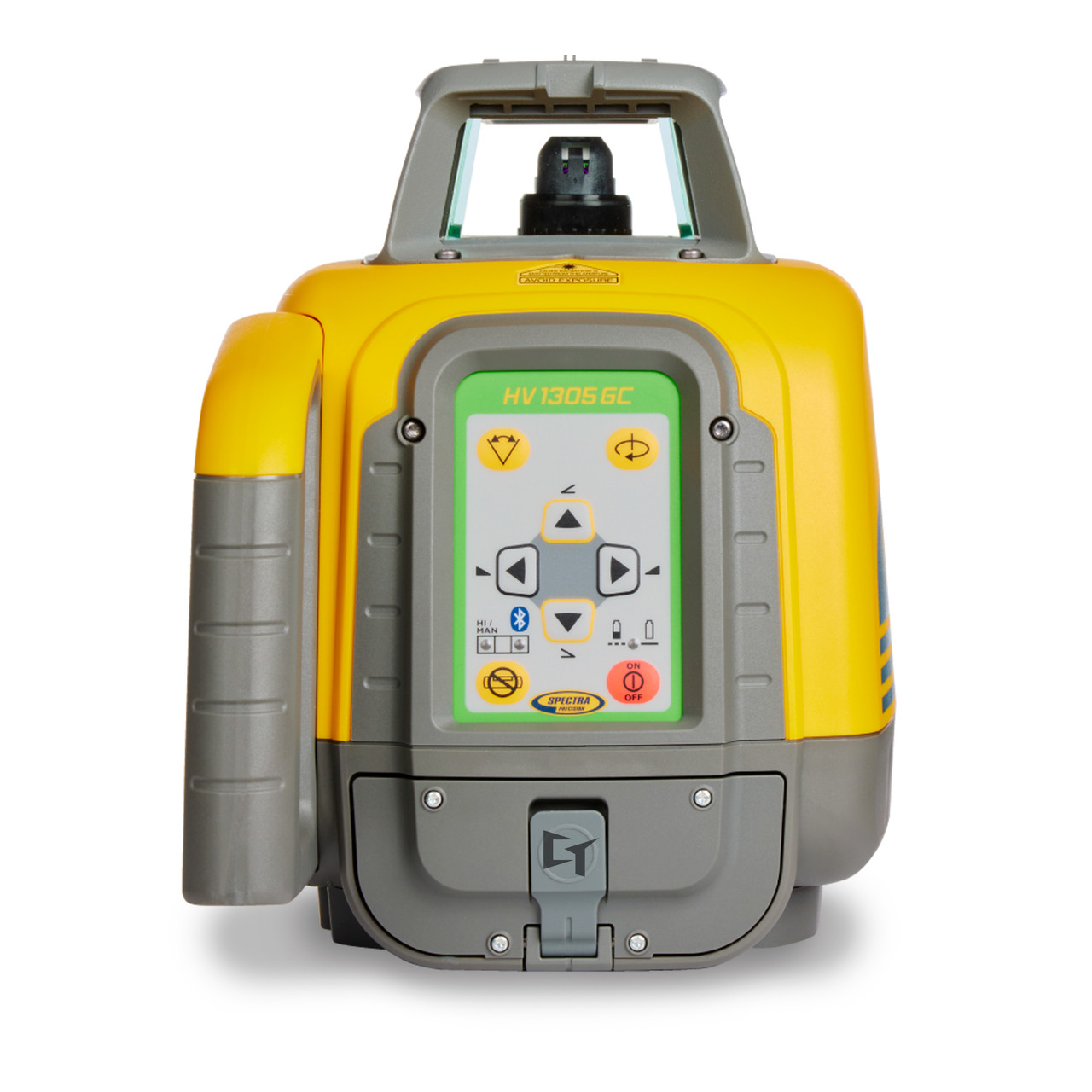
- Green beam (510–530 nm) for interior layout you can see.
- Horizontal or vertical: it senses which way it stands and self-levels within ±5°.
- 1/16″ at 100 ft, 0 to 600 rpm, scan lines of 5° to 90°.
- Plumb up and plumb down dots for point transfer and 90° layout.
- The RC1402 remote or the free Laser Remote App runs it from across the room.
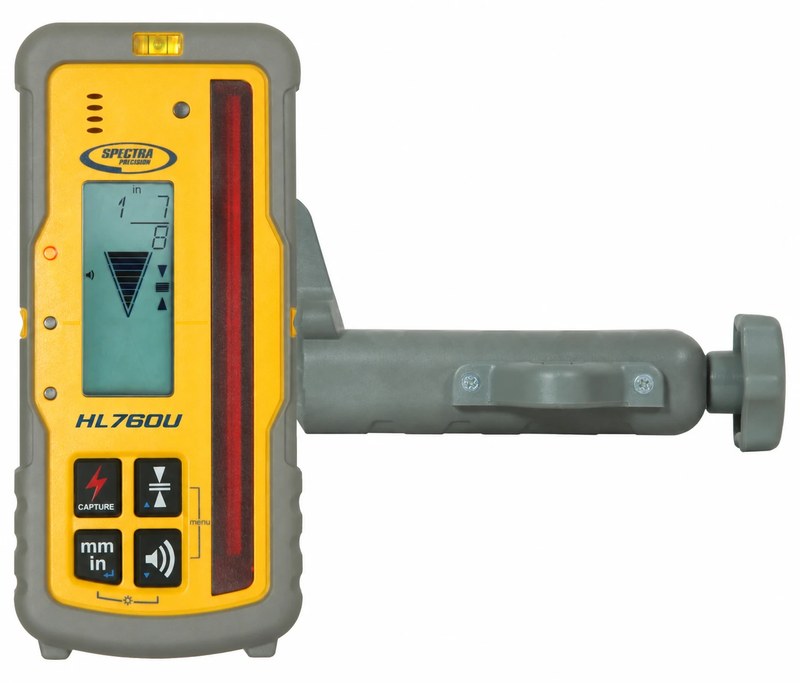
- The U means universal: it detects green and red beams (the HL760 is red only).
- A digital readout of how far you are from on-grade, on a 5-inch reception height.
- Two-way radio with the HV1305GC: PlaneLok and automatic Grade Match.
- Ships with its C70 rod clamp. IP67, survives a 10 ft drop onto concrete.
Horizontal and vertical.
Standing up, the HV1305GC self-levels and spins a level plane across the site. Read it with a receiver on a rod and every elevation is a number.
- Elevations: footings, foundations, forms and pads
- Grade checks: cut and fill, excavation depth, sub-base
- Manual slope: tilt one axis with the arrows for drainage, driveways and walks while the other axis stays level
- Interior: ceiling grid and raised floors
Lay it on its side and it self-levels a vertical plane, with automatic plumb down to put the beam right over your point.
- Plumb vertical wall setup: plumb walls for buildings and barns
- Retaining walls and fences: one straight line down the run
- Layout: wall and partition lines, floor to ceiling, column and anchor bolt lines
- Forms and panels: concrete forms and tilt-up panels, straight and plumb

Call 1-877-866-5721 for express and next-day options. · Five year laser warranty


A Green Beam Built for Interior Layout.
The automatic self-leveling Spectra Precision® HV1305GC is the green beam version of the HV1305C: one rugged laser for horizontal, vertical and plumb work. The green beam is easy to see in brightly lit interiors, so crews lay out walls, transfer points and set ceilings straight off the line. A split beam gives you plumb point transfer and 90° layout.
The HV1305GC-7 is Spectra’s complete interior system: the laser, the HL760U universal receiver, the RC1402 remote, the M304 wall mount, the green ceiling target and green glasses, rechargeable power, and the medium case that has a place for every piece, the wall mount included.
What You Receive.
HV1305GC Horizontal / Vertical Green Beam Laser
Self-leveling horizontal and vertical, 1/16 in at 100 ft, green 510–530 nm, IP66.
HL760U Universal Laser Receiver with C70 Rod Clamp
Reads green and red beams. Digital readout of how far you are from grade on a 5-inch reception height. Two-way radio for PlaneLok and Grade Match.
RC1402 Remote Control
Radio remote: every keypad function and the full menu from up to 330 ft, on 2 AA batteries.
Smart Remote App - Laser control from your Smart Phone
Free Spectra Precision Laser Remote App (Android and iPhone) over Bluetooth.
M304 Wall and Ceiling Mount
Mounts the laser to a wall track or stud at ceiling height for grid work, keeping the floor clear.
Q104124 Green Magnetic Ceiling Target
Clips to the ceiling grid so you can see and set the green beam.
Q104252 Green Laser Glasses
Green-enhancing glasses that make the beam easier to see.
NiMH RECHARGEABLE Batteries - B10
10,000 mAh NiMH pack, up to 30 hours in the HV1305GC. Charges in or out of the laser.
Battery Charger - CH10
Charges the pack in under 10 hours; indoors it can power the laser directly.
Medium Carrying Case 100981-00
Spectra’s HV1305C / HV1305GC medium case, with a designated slot for the M304 wall mount (the small case has none).
Safety instructions
Read them before first use.
Warranty 5-Year
Spectra’s 5-year warranty on the HV1305GC laser (materials and workmanship; calibration is the owner’s job).

The HL760U Reads Green — and Talks to the Laser.
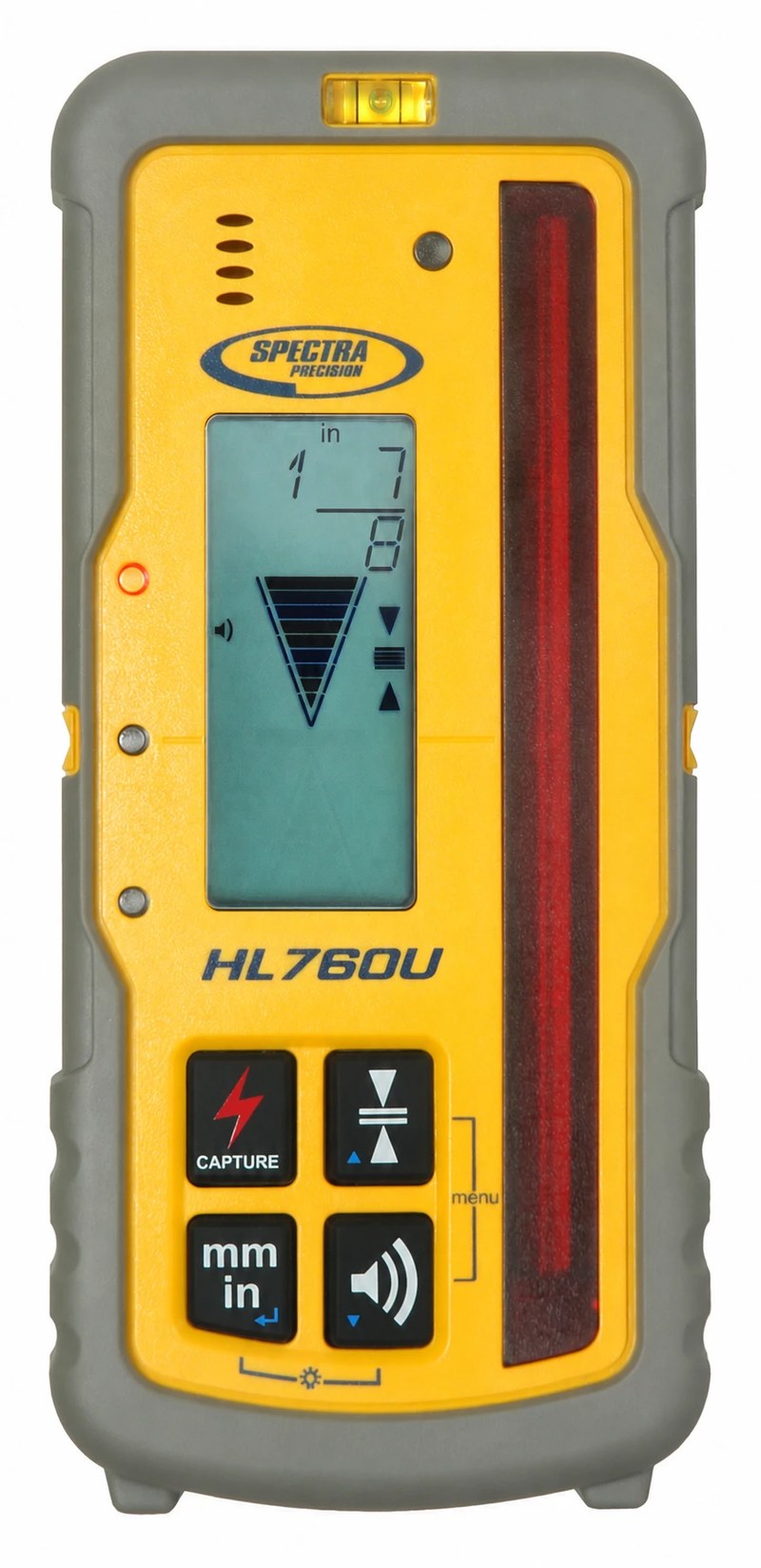
HL760U Laser Receiver
with C70 Rod Clamp


A green laser needs a receiver that can see green. The HL760U reads both green and red beams, shows exactly how far you are from grade as a number, and talks to the HV1305GC by radio for PlaneLok and Grade Match.
- Reads green and red — works with the HV1305GC and any red-beam laser you already own
- Digital readout — the exact distance above or below grade, no sliding the clamp
- 5-inch reception height — catches the beam fast
- Two-way radio with the HV1305GC — PlaneLok and automatic Grade Match from the RC1402 or the app
- Fingerprinting — pairs to your laser and ignores other lasers on the job
- Anti-strobe sensor — no false readings from site strobes
- 10-foot drop rating — onto concrete; IP67
- Ships with the C70 rod clamp — mounts straight to your grade rod
- Light bar down for vertical lines — how Spectra’s training sets it on the second point
The HL760U features a digital readout of elevation on the large front and rear LCDs and shows exactly how far the elevation is from on-grade for fast cut/fill readings. Accurate measurements can be made without moving the rod clamp.
Radio communication allows working with another HL760U or HL760 for long range remote display and monitoring. “Fingerprinting” links the receiver with a particular laser, so it only accepts the laser it is paired with.
| HL760U | Included in this package |
| Digital readout units | mm, cm, feet, inches, fractional inch |
| Reception height | 5 inches (127 mm) |
| Beams detected | Green and red (the HL760 is red only) |
| Six On-grade sensitivities | Ultra fine ~1/32 inch Super fine ~1/16 inch Fine ~1/8 inch Medium ~1/4 inch Coarse ~1/2 inch Calibration Mode ~1/64 inch |
| Radio range (with the HV1305GC) | up to 330 feet (100 m) |
| Battery Life (2 AA) | 60+ hours continuous operation |
| Auto shut-off | 30 minutes / 24 hours |
| Operating Temp | -4°F to 122°F |
| Dust and Waterproof | Yes - IP67 |
| Weight | 13.1 oz |
| Warranty | 3 Years "No Excuses" |
From Spectra’s HL760 / HL760U user guide and receiver brochure. Grade lights per our house convention: blue high, red low, green on grade.
Run the Laser From the Rod.
The Spectra RC1402 remote control mirrors the functionality of the laser keypad and offers additional features using the M and E buttons. This RC1402 Remote allows you to control the laser features and functions up to 330-feet away from the laser. Allowing for one person operation in many jobsite applications.
Automatic Grade Match and Plane Lok run from the RC1402 or the Laser Remote App, with the HL760U in this package paired to the laser. Single slope, rotation, scan, mask and every setting work from the remote too.
| RC1402 | Included in this package |
| Operating Range | 330-feet |
| Power Source | 2 x 1.5V AA Alkaline Batteries |
| Battery Life | 130 Hours |
| Dust and Waterproof | Yes - IP66 |
No remote in hand? The free Spectra Precision Laser Remote App does the same job from your phone over Bluetooth. The RC1402 switches itself off 5 minutes after the last press.

Built for Interior Layout.
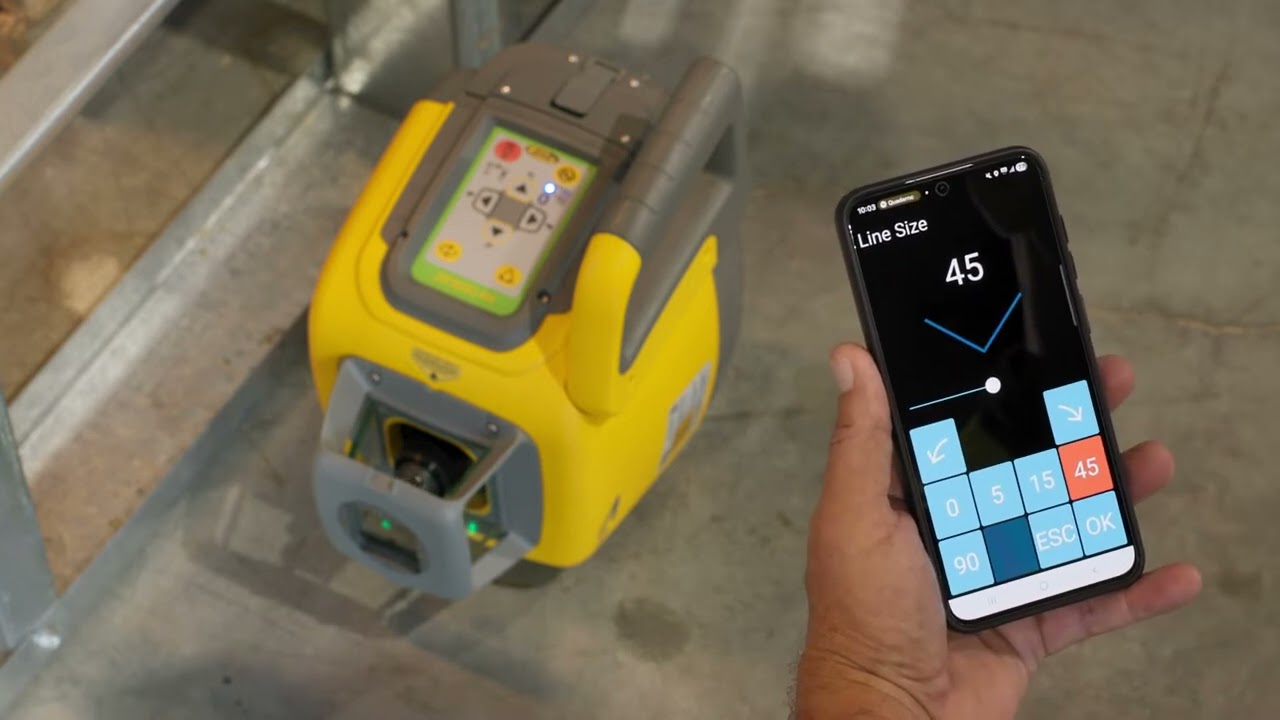
Run the Laser From Your Phone.
The HV1305GC has Bluetooth built in. Download the free Spectra Precision Laser Remote App from Google Play or the Apple App Store and your phone becomes the remote. Spectra’s datasheet says the remote control app “allows operation of all laser functions from anywhere on the jobsite” and that the Bluetooth “eliminates the extra cost of the remote control.” This package ships with the RC1402 as well, so you have both.

- Change rotation speed, scan size and mask from where you are standing, not at the tripod.
- Set single axis slope and watch the rod while you do it.
- Nothing extra to carry or lose: the phone is already in your pocket.
- With the app, the explanation of an error code is shown directly on the phone instead of a number to look up.
- Clear it with OK in the app, the same as E on the remote.
- The app uses your phone’s language when the laser supports it, and English otherwise. No menu to change.
- The laser itself offers 14 languages through the RC1402.
- Power on: always starts in automatic self-leveling
- Manual mode (Manual ×1), single axis slope Y (×2) or X (×3)
- Rotation speed, scan size, pointing at 0 rpm
- Mask mode, standby (hold Manual 3 s)
- Vertical: Line Scan (Left + Right together)
- PlaneMatch (Grade Match) and PlaneLok — with the HL760U in this package
- HI alert delay: 5 minutes, 30 seconds or off
- Error messages confirmed and explained
- Every keypad function, from across the site
- Changing the radio channel (0 to 5)
- The Info menu: runtime hours, firmware, serial number, internal temperature
- The remote’s own backlight setting
- Menu navigation on the remote’s own screen
Connecting takes 30 seconds: the steps are further down, in Pair it in 30 seconds ↓
Where the Green Beam Earns Its Keep.


Vertical Alignment & Layout Applications
When set in its vertical operating position, the rotary laser establishes a vertical reference plane for layout and alignment on interior and exterior projects. This allows contractors to establish straight building lines, check upright alignment, and transfer wall layout from the floor to the ceiling.
With the laser positioned for vertical operation, the stationary reference beam projects a dot at a 90-degree angle to the rotating laser plane. Together, these references can be used to establish square corners for wall layouts, partitions, framing, and concrete forms.
The stationary reference dot cannot be detected by a standard rotary laser receiver. You must be able to see the dot with your eyes on a wall, target plate, or other surface to align and mark its position. This function requires lighting conditions and a working distance that allow the dot to remain clearly visible. Bright sunlight and longer distances can make the dot difficult or impossible to see.
The usable distance for this squaring function is limited by the visibility of the reference dot. The laser’s advertised working range with a receiver does not apply to this stationary dot.
The 90° layout and plumb beam, and the difference between the rotating beam a receiver reads and the stationary dot you align by eye, are described in Spectra’s HV1305C/HV1305GC user guide (12/24, introduction and chapter 21.2) under Downloads.
See the Green Beam at Work.
Four short videos from Spectra on the HV1305GC, on our channel. Pick one below.
Three Interior Jobs, Shot by Shot.


Frames from Spectra’s HV1305GC application videos (Video section above).
Level, Vertical and Plumb — From the Keypad or Your Phone.
Press the power button and the HV1305GC always starts in automatic self-leveling. It works out for itself whether it is standing up (horizontal) or on its side (vertical). The green LED flashes once a second while it levels, the rotor starts when it is level, and it comes back at the last speed you used.
Rotation, scan and point
Rotation button: 0, 10, 100, 200, 300, 600 rpm. Scan button: 5°, 15°, 45° or 90° lines for visibility. At 0 rpm the arrows point the beam anywhere around 360°.
Manual and single axis slope
Press Manual once and the arrows tilt both axes by hand. Press it twice for Y single axis slope (three times for X): one axis tilts, the other keeps self-leveling. Red and green flash together. No grade number is entered.
Vertical: line scan and plumb down
On its side it self-levels vertical. Press Left and Right together for Line Scan to centre the beam. At 0 rpm it drives the beam to plumb down over your point, within 1/4 in at 4 ft.
HI alert, mask and standby
Bump the tripod and it stops and warns you (delay 5 min or 30 s, set from the remote). Mask mode shuts the beam off in up to 3 sectors. Hold Manual 3 s for standby at lunch: beam off, HI alert still on.
Steps from the Spectra HV1305C/HV1305GC user guide (12/24: chapters 5, 10-15, 18.2, 20, 21, 22) and Hands-on Training. Both are under Downloads.
Spectra Precision HV1305GC Green Beam Laser SPECIFICATIONS
| HV1305GC | Spectra Precision |
| Leveling Accuracy | 1/16″ @ 100 ft (±1.5 mm @ 30 m), 10 arc seconds |
| Operating Diameter | 4,000 feet diameter (2,000 feet each side) with the HL760U receiver |
| Visible Range | up to 500 ft (150 m)* |
| Rotation | Preset 0, 10, 100, 200, 300, 600 rpm Adjustable in 10 rpm increments > 100 rpm |
| Pre-Programmed Scan Angles | 5°, 15°, 45°, 90° Adjustable in 5° increments |
| Plane Match Distance | 260 feet |
| Plane Lok Distance | 260 feet |
| Laser Type | green diode laser 510-530 nm |
| Laser Class | Class 3 (US) · Class 2 available in Europe |
| Automatic Plumb Down Accuracy | 15 arc min, 1/4 inch @ 4 feet |
| Self-Leveling Range | ± 5° (± 8.7%) |
| Leveling Indicators | LED flashes |
| Radio Range | (HL760U): up to 330 feet |
| Power Source | Rechargeable 10,000 mAh NiMH pack (B10) or 4 x 1.5 V D alkaline batteries |
| Battery Life | up to 30 hours NiMH |
| Battery Charging Time | under 10 hours |
| Operating Temperature | -4°F to 122°F |
| Storage Temperature | -13°F to 158°F |
| Tripod Attachments | 5/8 x 11 horizontally and vertically |
| Dust and Waterproof | Yes - IP66 |
| Weight | 7.7 lbs (incl. battery pack) |
| Drop rating | 3 ft (1 m) onto concrete; 5 ft (1.5 m) tripod tip-over |
| Warranty | 5 Years |
* Visible range from Spectra’s HV1305GC video (“500 ft (150 m) visible and 4,000 ft (1,200 m) with a receiver”; up to 5× the range and 4× the accuracy of standard line lasers). From Spectra’s HV1305C / HV1305GC datasheet (PN 022507-626 Rev A, 01/25) and user guide (12/24). Where a figure differs between red and green, the green figure is shown.
Two Things Worth Knowing.
Manual slope means you tilt it, not type it
The HV1305GC self-levels, and single axis slope lets you tilt one axis with the arrows while the other stays level. The app runs the laser’s functions; it does not let you type in a grade on the HV1305GC. For a dialed-in percentage, look at the GL412N or GL1425C grade lasers.
Check it before the job, and after any drop
Calibration is the owner’s job, not the warranty’s. Spectra’s check: set up 100 ft from a wall, mark the beam on both ends of each axis; more than 1/8 in apart means it needs calibrating. It is step by step in the user guide under Downloads.
HV1305GC (Green) vs HV1305C (Red).
Same Spectra laser platform, two beam colours. Green is easier to see indoors; red runs longer on a charge and suits general site work.
| Feature | HV1305GC green | HV1305C red |
| Beam | Green, 510–530 nm | Red, 630–643 nm |
| Best for | Interior layout where you work off the visible line | General construction, inside and out |
| Receiver in the package | HL760U (reads green and red) | HL760 (reads red) |
| Battery life (B10 NiMH) | up to 30 hours | up to 45 hours |
| Accuracy / range / toughness | Same: 1/16 in at 100 ft, 4,000 ft diameter, IP66 | Same |
| Horizontal, vertical, plumb, app, RC1402 | Yes | Yes |
| Grade Match / PlaneLok★ | Yes, with the HL760U | Yes, with the HL760 or CR700 |
| Package with the receiver | HV1305GC-7 · $1,816.00 | HV1305C-4 · $1,536.00 |
★ Advanced features require a Spectra radio receiver (HL760U for green; HL760 or CR700 for red).
From Spectra’s HV1305C / HV1305GC datasheet (01/25). Prices are live from our store.
HV1305GC-7 Questions We Actually Get.
Grouped so you can find yours. Buying questions first, then how to work it, then what to do when something is wrong. Every HV1305GC error code is under Troubleshooting.
What is the Spectra HV1305GC-7?
Green or red: which should I buy?
Will my HL760 receiver read the green beam?
How far does the HV1305GC reach?
How does it compare with a line laser?
What if I cannot see the beam?
Does it do PlaneLok and Grade Match?
How long does the battery last?
What if I forget to charge it? Am I out of business for the day?
Why the medium case?
How do I set a suspended ceiling with it?
How do I align a wall between two reference points?
Is this Spectra’s package or a Contractors-Tools.com kit?
What is the warranty?
Where can I buy it?
Can I control it with my phone?
Which phones does the Laser Remote App work on?
How far away does the Laser Remote App work?
Do I still need the RC1402 remote if I use the app?
Can I type a grade into the Laser Remote App?
Can a laser receiver pick up the 90° squaring dot?
How do I use it vertically?
What happens if someone bumps the tripod?
Can I keep the beam off other crews’ receivers or windows?
How do I check calibration?
All HV1305C error codes at a glance
The remote, the Laser Remote App or the receiver shows a number; only the last two or three digits matter. Press E on the remote (or OK in the app) to clear it, then do what the table says.
| Code | What it means | What to do |
| 030 | PWR-Board data recovered | Press "E" to confirm the error message. The laser reverts to default settings. Check pairing to RC1402, HL760/CR700 or App. |
| 035 | SENS-Board data recovered | Press "E" to confirm the error message. Check the laser accuracy. |
| 120 | HI-alert – Unit height has changed | Press "E" to delete the error message. Check laser elevation and laser setup. |
| 130 | Mechanical Limit during GradeMatch / PlaneLok | Press "E" to delete the error message. Check laser elevation and laser setup. The user guide adds: check if the receiver was set out of the slope range (+/- 9%, 5°). |
| 135 | Cross Axis Compensation Limitation | Avoid too much roll for the laser; re-setup the laser with less roll and restart the function. |
| 140 | Laser beam blocked | Press "E" to delete the error message. Ensure no obstacles between the laser and HL760/CR700 receiver during the operation. The receiver needs to receive the laser beam all the time during this function. |
| 141 | Time out – Alignment could not be completed in the allowed time | Press "E" to delete the error message. Check radio operating range/connection. Ensure the laser setup is stable. |
| 150 | No receiver – HL760 not available for single axis automatic function | Press "E" to delete the error message. Ensure the HL760/CR700 has been switched on and is paired with the laser. The HL760/CR700 may have turned off automatically. Check if receiver is within radio range. |
| 152 | No receiver – The laser searched but could not find the receiver | Press "E" to delete the error message. Check the operating range for auto function and restart. The receiver has been placed too far away, too high or too low. Check if the receiver has been placed along the wrong axis. Place the receiver along the correct axis. |
| 153 | Lost receiver – The laser found the receiver but then lost it | Press "E" to delete the error message. Check the operating range for auto function and restart. The receiver has been placed too far away, too high or too low. Check if the receiver has been placed along the wrong axis. Place the receiver along the correct axis. |
| 155 | More than one paired receiver is available during automatic alignment function | Press "E" to delete the error message. Make sure only one receiver is turned on. |
| 157 | Lost communication after an established and started receiver operation | Press "E" to delete the error message. Check the operating range for auto function and restart the function. The receiver has been placed too far away. |
| 160 | X or Y level sensor defect | Contact your service dealer. |
| Any other | Any other code | Contact your service provider. |
Códigos de error en español (HV1305C)
| Código | Significado | Qué hacer |
| 030 | Datos PWR-Board recuperados | Pulse «E» para confirmar el mensaje de error. El láser vuelve a los ajustes predeterminados. Compruebe el emparejamiento con RC1402, HL760/CR700 o la aplicación. |
| 035 | Datos SENS-Board recuperados | Pulse «E» para confirmar el mensaje de error. Compruebe la precisión del láser. |
| 120 | Alerta HI: La altura de la unidad ha cambiado | Pulse «E» para eliminar el mensaje de error. Compruebe la elevación y la configuración del láser. |
| 130 | Límite mecánico durante GradeMatch/PlaneLok | Pulse «E» para eliminar el mensaje de error. Compruebe la elevación y la configuración del láser. |
| 135 | Limitación de compensación de eje cruzado | Evite que el láser tenga demasiado alabeo. Vuelva a ajustar el láser con menos alabeo y reinicie la función. |
| 140 | Haz del láser bloqueado | Pulse «E» para eliminar el mensaje de error. Asegúrese de que no haya obstáculos entre el láser y el receptor HL760/CR700 durante el funcionamiento. El receptor necesita recibir el haz del láser en todo momento durante esta función. |
| 141 | Tiempo expirado: La alineación no pudo completarse dentro del tiempo permitido. | Pulse «E» para eliminar el mensaje de error. Compruebe la conexión o el alcance operativo de radio. Asegúrese de que la instalación del láser sea estable. |
| 150 | No hay receptor: HL760 no está disponible para el funcionamiento automático de un solo eje | Pulse «E» para eliminar el mensaje de error. Asegúrese de que el HL760/CR700 esté encendido y emparejado con el láser. Es posible que el HL760/CR700 se haya apagado automáticamente. Compruebe si el receptor está dentro del alcance de radio. |
| 152 | No hay receptor: El láser buscó, pero no pudo encontrarlo | Pulse «E» para eliminar el mensaje de error. Compruebe el alcance operativo del funcionamiento automático y reinícielo. El receptor se ha situado demasiado lejos, demasiado alto o demasiado bajo. Compruebe si el receptor se ha situado a lo largo del eje equivocado. Coloque el receptor a lo largo del eje correcto. |
| 153 | Receptor perdido: El láser encontró el receptor, pero luego lo perdió. | Pulse «E» para eliminar el mensaje de error. Compruebe el alcance operativo del funcionamiento automático y reinícielo. El receptor se ha situado demasiado lejos, demasiado alto o demasiado bajo. Compruebe si el receptor se ha situado a lo largo del eje equivocado. Coloque el receptor a lo largo del eje correcto. |
| 155 | Hay más de un receptor emparejado disponible durante la función de alineación automática | Pulse «E» para eliminar el mensaje de error. Asegúrese de que solo haya un receptor encendido. |
| 157 | Se perdió la comunicación después de un funcionamiento de receptor establecido e iniciado | Pulse «E» para eliminar el mensaje de error. Compruebe el alcance operativo del funcionamiento automático y reinícielo. El receptor se ha situado demasiado lejos. |
| Otro | Cualquier otro código | Póngase en contacto con su proveedor de servicios. |
Codes, meanings and fixes word for word from Spectra’s HV1305C/HV1305GC Quick User Guide (page 13, English; page 17, Spanish) and user guide 12/24 (chapter 25, pages 43-44; code 160 and the 130 slope note are from the user guide). Lights from Spectra’s Hands-on Training (slides 2, 12, 14, 15, 19). Codes 130-157 come up during Grade Match or PlaneLok, which need an HL760 or CR700 receiver.
The remote shows only its model number.
The laser flashes and beeps and will not level.
What does error 030 mean on the Spectra HV1305C?
What does error 035 mean on the Spectra HV1305C?
What does error 120 mean on the Spectra HV1305C?
What does error 130 mean on the Spectra HV1305C?
What does error 135 mean on the Spectra HV1305C?
What does error 140 mean on the Spectra HV1305C?
What does error 141 mean on the Spectra HV1305C?
What does error 150 mean on the Spectra HV1305C?
What does error 152 mean on the Spectra HV1305C?
What does error 153 mean on the Spectra HV1305C?
What does error 155 mean on the Spectra HV1305C?
What does error 157 mean on the Spectra HV1305C?
What does error 160 mean on the Spectra HV1305C?
What do the lights on the Spectra HV1305C mean?
- Level / Bluetooth, green, flashing once a second: Self-leveling. Wait for it.
- Level / Bluetooth, green solid, then a flash every 4 seconds: Level, and the HI alert is armed (solid for the first 5 minutes or 30 seconds, depending on the HI alert setting).
- Level / Bluetooth, blue: Connected to the Laser Remote App over Bluetooth.
- Manual / HI (red), flashing once a second: Manual mode: the beam is not self-leveling.
- Manual / HI (red), flashing every 4 seconds, beam off, warning tone: HI alert: the laser height changed. Check your setup against the benchmark.
- Manual / HI (red), flashing every 5 seconds: Standby: beam off, HI alert still on. Hold Manual 3 seconds to wake it.
- Red + green together, once a second (every 3 seconds): Y axis (X axis) single axis slope, or the result of Grade Match.
- Manual + level together, flashing with a warning sound: Set up outside the ±5° self-leveling range. Re-set the tripod; it shuts off after 10 minutes.
- Battery, off / blinking / solid: Good / weak / empty: about 5 minutes left. Charge the B10 or drop in 4 D cells.
Buy the Piece, Not Another Kit.
Every part of the HV1305GC-7 package we stock, sold on its own. If you are one piece short, buy the piece — do not buy another kit.
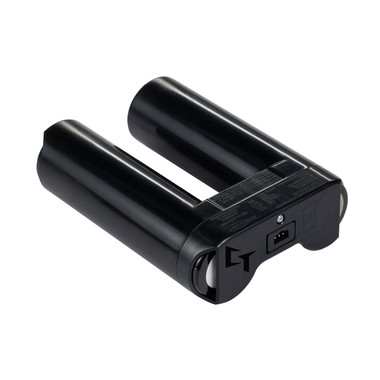
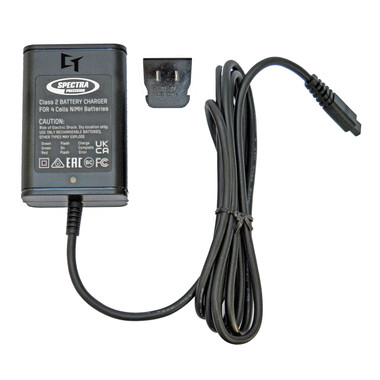
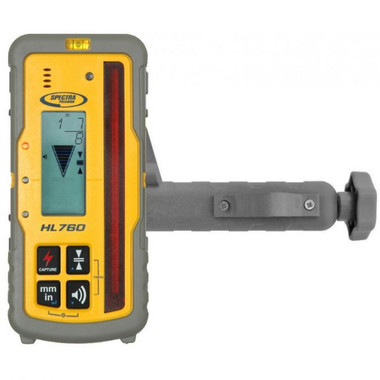


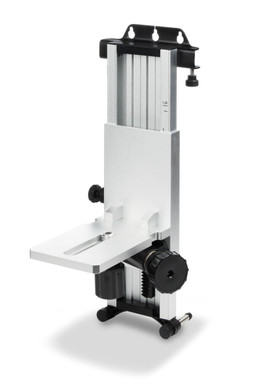
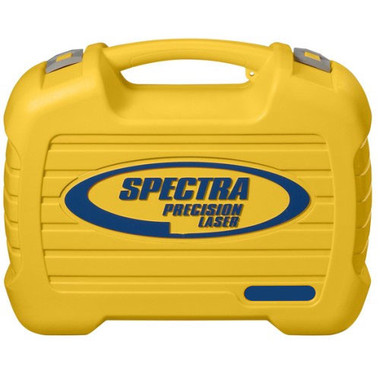


The Q104124 green target and Q104252 green glasses come in the kit; for spares, call 1-877-866-5721.
Pair It in 30 Seconds.
Manuals and Documentation.
Spectra publishes one user guide, quick guide, training and datasheet for the red HV1305C and the green HV1305GC.
 Authorized Spectra Dealer
Call 1-877-866-5721
Questions about the HV1305GC? Family owned and operated. We set these lasers up every week — tell us the job, inside or out, and we will spec the right package before you order.
Experience the value of Great Customer Service!

categories:


