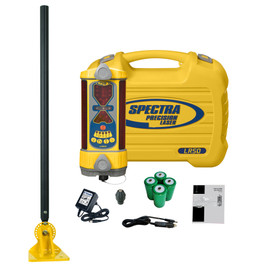
Want the display in the cab? Decide before you order.
This is the LR50-MM — the standard version. The operator reads grade from the receiver itself, out on the mast.
If you want the RD20 wireless in-cab display, you need the LR50W-MM instead. You cannot add it later in any sensible way — fitting the radio means sending the receiver back to the factory, working without it while you wait, and paying enough that you would have been better off buying the wireless model on day one. This catches people out often enough that we would rather say it here than on the phone afterwards.
If you are happy reading grade at the mast, the LR50-MM is the right buy and costs less. Plenty of our customers run exactly this.
See the LR50W-MM with the RD20 — see price →
Not sure which way to go? Call 1-877-866-5721 and we will talk it through against the machine you are running.
Spectra Precision LR50-MM Receiver with Magnetic Mount
Part Number: LR50-MM
Power: NiMH Rechargeable Batteries
Built-in blade tilt and excavation plumb indicator
Not compatible with the RD20 wireless in-cab display
Free same-day shipping on orders placed by 12 noon Central
Spectra Precision LR machine receivers
Turn a two-person job into a one-man operation.
Add this to the laser you already have. Simple technology that helps you solve problems, dig faster, for less money, and gets you on grade sooner.
 Authorized Dealer
We'll match the receiver to your machine and laser.
What's Included
 |
|

Key Features
- Blade tilt indicator helps keep blade level for accuracy
- Center on-grade provides equal grade info above and below
- Offset on-grade mode increases range for excavation
- Use on dozers, graders, scrapers, and box blades
- Built-in plumb indicator for precise elevation and excavation checks
- Up to six grade channels with directional out-of-beam indicators
- Not Compatible with RD20 Wireless Remote Display (LR50W models only)
Applications
- Machine-mounted grade checking
- Grading and leveling
- Excavation and trenching
Machine Compatibility by Equipment Type

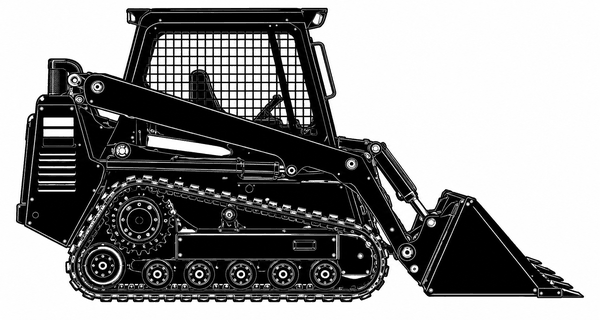

Additional Machine Compatibility Examples
| Machine Type | Recommended Receivers | Application |
|---|---|---|
 |
LR30 LR50 - OR - Wireless In-Cab Display LR30W LR50W |
Elevation Display / Lift Control |
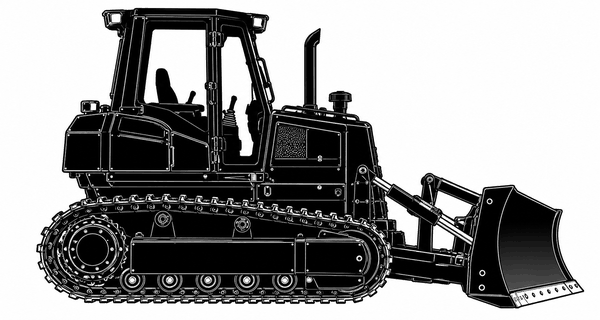 |
LR50 - OR - Wireless In-Cab Display LR50W |
Elevation Display / Lift Control |
 |
LR50 LR60 - OR - Wireless In-Cab Display LR50W LR60W |
Elevation Display |
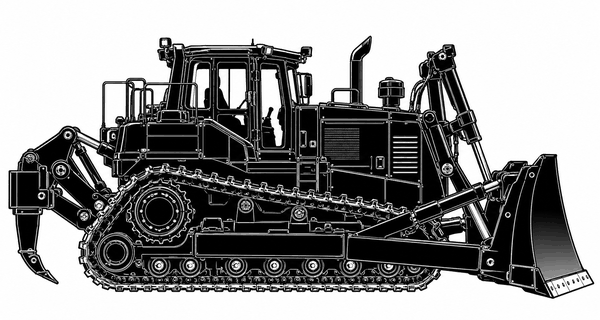 |
LR50 - OR - Wireless In-Cab Display LR50W |
Elevation Display / Lift Control |
The Spectra Precision LR Machine Receiver Range
Every LR machine receiver we carry, by family. Prices are live from our store. Tap any one to see it.
How to read these part numbers
- LR50 vs LR50W The W means wireless. A LR50W pairs with the RD20 display so the operator reads grade in the cab. A plain LR50 has no radio. Both look the same, and adding wireless to a plain LR50 later means an expensive factory service, so buy the W up front if you might want the cab display.
- -MM Includes the MM-1 magnetic mount, for excavators and backhoes.
- -DM Includes the DM-20 bolt-on mount, for dozers.
- -1 Runs on alkaline batteries instead of the NiMH rechargeable pack.
- LR50W-2 The wireless LR50W receiver without the RD20 display, for when you already have one or will add it later.
Spectra Precision LR50 Receiver Chart
Spectra Precision LR50W Wireless Receiver Chart
Machine Receiver Specification Comparison
| Specifications | LR20 | LR30 / LR30W | LR50 / LR50W | LR60 / LR60W |
|---|---|---|---|---|
| Display Channels | 5-Channel | 5-Channel | 5-Channel 6-Channel in Excavating Mode |
9-Channel |
| Accuracy (Center on-grade) | Fine: 0.20" Standard: 0.40" Wide: 0.80" |
Fine: 0.20" Standard: 0.45" Wide: 1.25" |
Fine: 0.20" Standard: 0.40" Wide: 0.80" |
Setup: 0.25" Fine: 0.40" Standard: 0.80" Wide: 1.60" |
| Accuracy (Offset on-grade) | Fine: 0.50" Standard: 1.0" Wide: 2.0" |
N/A | Fine: 0.50" Standard: 1.0" Wide: 2.0" |
Setup: 0.25" Fine: 0.50" Standard: 1.0" Wide: 2.0" |
| Angle Compensation | N/A | N/A | N/A | Fine: 0.50" Standard: 1.0" |
| Blade-Tilt Accuracy | N/A | N/A | ±0.5°, ±1.5°, ±2.5° | N/A |
| Plumb-Swing Accuracy | ±0.5°, ±1.5°, ±2.5° | N/A | ±0.5°, ±1.5°, ±2.5° | Standard: 0.05" Angle Compensated: 1.0" |
| Beam Reception | 360 | 360 | 360 | 360 |
| Vertical Reception | 8" | 6.75" | 6.75" | 8.75" |
| LED Battery Life | 35 hrs | 50-75 hrs (Alk) 40-50 hrs (NiMH) |
45-60 hrs (Alk) 30-45 hrs (NiMH) |
45-75 hrs (Alk) 40-50 hrs (NiMH) |
| Battery Recharge Time | 3-4 hrs | 3-4 hrs | 3-4 hrs | 3-4 hrs |
| Size (inches) | 9.5 x 4.38 x 1.85 | 13.5 x 5.6 x 5.9 | 13.5 x 5.6 x 5.9 | 15.5 x 5.6 x 5.9 |
| Weight (lbs) | 2.5 | 5.5 | 5.5 | 6.0 |
| Warranty | 2 Years | 2 Years | 2 Years | 2 Years |
| Shipping Info | 19x8x17 – 15 lbs 43x7x7 – 15 lbs |
Thank you for viewing the Spectra Precision LR50-DM Receiver. For additional options or accessories, please contact our team or browse related products on our website.
Spectra Precision LR50 — Straight Answers
Everything below comes from Spectra Precision's own documentation for these receivers, which we host on this site. If your question is not here, call 1-877-866-5721 and ask a person who sets these up.
What is the LR50 best suited to?
The LR50 is the crossover receiver in the range - the one tool that suits both a dozer and an excavator, which is why contractors running mixed equipment tend to land on it. It gives a 6-channel display in excavating mode and a 5-channel display for centre on-grade, on a 6.75-inch photocell, so there is a large window for the laser to strike.
Does the LR50 show blade tilt?
Yes. The LR50 has a tilt display with three accuracy settings for bulldozer work, and plumb indication with offset on-grade for excavator work. That combination is what makes it the crossover tool rather than a dozer receiver or an excavator receiver.
What does a machine display receiver actually do?
It mounts on the machine - on a mast, a blade or a dipper arm - and reads the plane from a rotating laser you have already set up. The receiver tells the operator whether the cutting edge is above grade, below grade or on grade, so nobody has to stand in the trench with a grade rod and the operator does not have to stop and check.
What is deadband, and which setting should I use?
Deadband is the size of the on-grade zone. A wider band is quieter and steadier, which suits a first pass or rough grading; a narrower band is tighter and suits a finish pass. Measured from the centre on-grade position the settings are 5 mm (0.20 in) fine, 10 mm (0.40 in) standard and 20 mm (0.80 in) wide. Working from an offset on-grade position they are 12 mm (0.50 in), 25 mm (1.0 in) and 50 mm (2.0 in).
What is on-grade offset?
Offset moves the on-grade zone away from the centre of the receiver to wherever the laser is striking it. That means you do not have to physically move the receiver when the grade changes, and if most of your work sits above or below the reference you can shift the zone so the laser is in the window more of the time. On an excavator, setting on-grade high gives the operator earlier warning that the bucket is approaching depth.
What rotation speed should I set my laser to?
The receiver will read a laser from 105 to 1200 RPM, but that is what it tolerates, not what works well. In practice you want 600 RPM as a minimum, and faster is better. The reason is strikes: the faster the laser spins, the more times the beam crosses the receiver every minute, and the more often the display updates. At a slow rotation the reading lags behind what the machine is actually doing. That matters most on a skid steer or a dozer, where the operator is making quick changes in elevation or travelling at speed - a slow laser leaves the display chasing the blade. On an excavator working one spot at a time it matters less. If your laser has a variable speed setting, turn it up.
Is it weatherproof?
Yes. These receivers are rated IP67 - sealed against dust and against temporary immersion in water - which is what keeps repair costs down on a machine that works in mud and gets washed.
How does it mount to the machine?
Built-in clamps fasten the receiver to a square or oval mast and hold it even if the machine is slammed or shaken. Three mounts cover the rest: the CTO-MMM mini mount for backhoes, skid steers and mini excavators, the DM-20 bolt-on dozer mount, and the MM-1 magnetic mount for dozers and excavators. Call us and we will tell you which one suits your machine.
Can I move it between machines?
Yes, and it is one of the reasons contractors buy these rather than a full control system. The receiver comes off one machine and onto the next with the right mount. One receiver can cover a small fleet instead of sitting idle on one machine.
Will this one work with the RD20 wireless in-cab display?
No. The RD20 pairs only with the wireless-capable W models - the LR30W, LR50W and LR60W. This is the non-wireless version, and the operator reads grade from the receiver itself. If you want the display in the cab, ask us about the W model before you order; it is the same receiver with the radio fitted.
How do I tell a W model from a non-W?
Not from the front - they are identical. The W model carries a radio compliance label on the back and the case is marked. If you are unsure what you already own, call us with the part number and we will tell you.
Who am I buying from?
Contractors-Tools.com, an authorized Spectra Precision dealer. We set these receivers up every week. Tell us the machine and the laser you are running and we will spec it before you order. Call 1-877-866-5721.
Source: Spectra Precision LR20 / LR30W / LR50W / LR60W / RD20 machine display receiver manual, and the LR50 / LR50W user guide.
Watch before you dig
Spectra LR50 & LR60 Plumb Indicator Setup on an Excavator
Dipper arm not plumb? Then your grade reading is off. See how to set plumb on Spectra LR50 and LR60 machine receivers.
Spectra LR50 How-To Videos
Short videos from Contractors-Tools.com on setting up and running Spectra LR machine receivers.

Center or offset on-grade? Set your Spectra LR machine receiver up the right way for grading or digging.

Six reasons why adding a Spectra Precision laser machine receiver to your grade laser setup changes everything on the job site. Covers performance advantages, accuracy benefits, and workflow improvements from using a Spe
Downloads — Spectra Precision LR50 / LR50W User Guide
Spectra Precision’s own document, free to download. Authorized Spectra Precision dealer — Contractors-Tools.com.
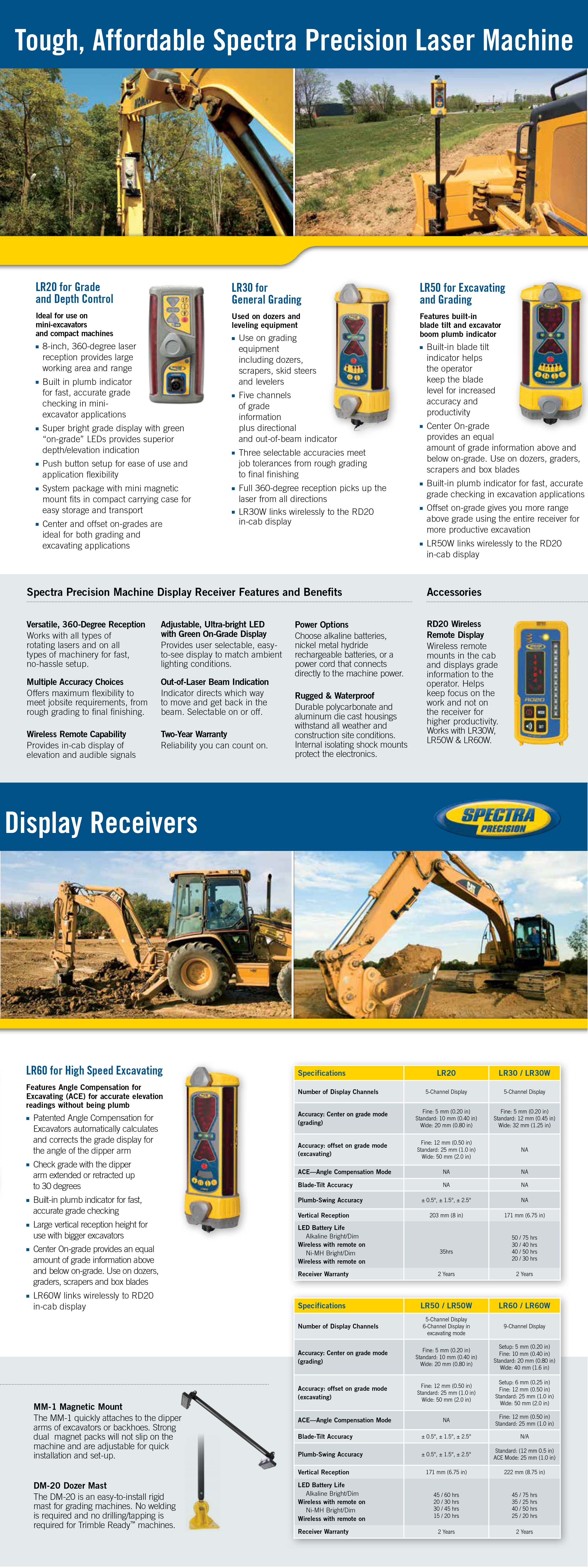 LR Series Comparison SheetSpectra Precision LR20, LR30, LR50 and LR60 side by side · imageOpen full size →
 LR50 / LR50W User GuideControls, deadband settings, blade-tilt and plumb, batteries and charging, wireless/wired switch, mounting and specifications · Spectra documentation with Contractors-Tools.com coverDownload PDF →
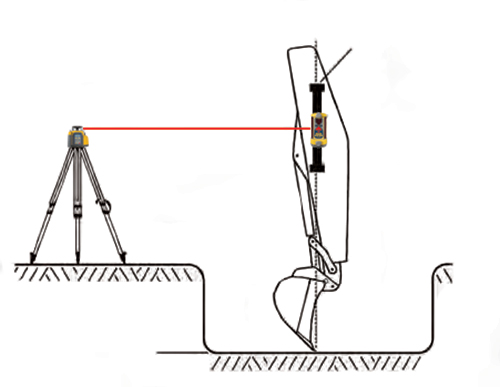 LR50 / LR50W Set-Up on an ExcavatorTouch-panel buttons, controls and display, secondary functions · 2 pagesDownload PDF →
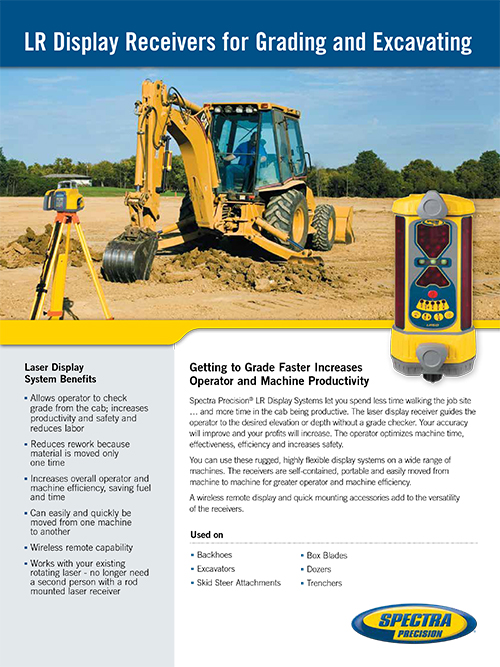 LR Series DatasheetLR20, LR30, LR50 and LR60 compared · 4 pagesDownload PDF →
 LR Receivers and RD20 Hands-On TrainingSpectra Precision training manual: deadband, on-grade offset, RD20 setup, pairing, mounting and power · 75 pagesDownload PDF →
While you are here
Your laser tells the site where grade is.
It still cannot tell the operator.
A machine receiver on the mast puts the laser plane on the machine. The operator still reads a bargraph and works out the rest.
iDig puts depth, slope and distance to target on a screen in the cab — read straight off the cutting edge, off the same rotary laser or benchmark you already shoot. No grade checker in the hole. No cable down the boom.
See the iDig range → Wireless solar sensors, in-cab LED bargraph and a touchscreen tablet. Excavator and skid steer systems. Installs in an afternoon. Contractors-Tools.com is an authorized iDig dealer — call 1-877-866-5721.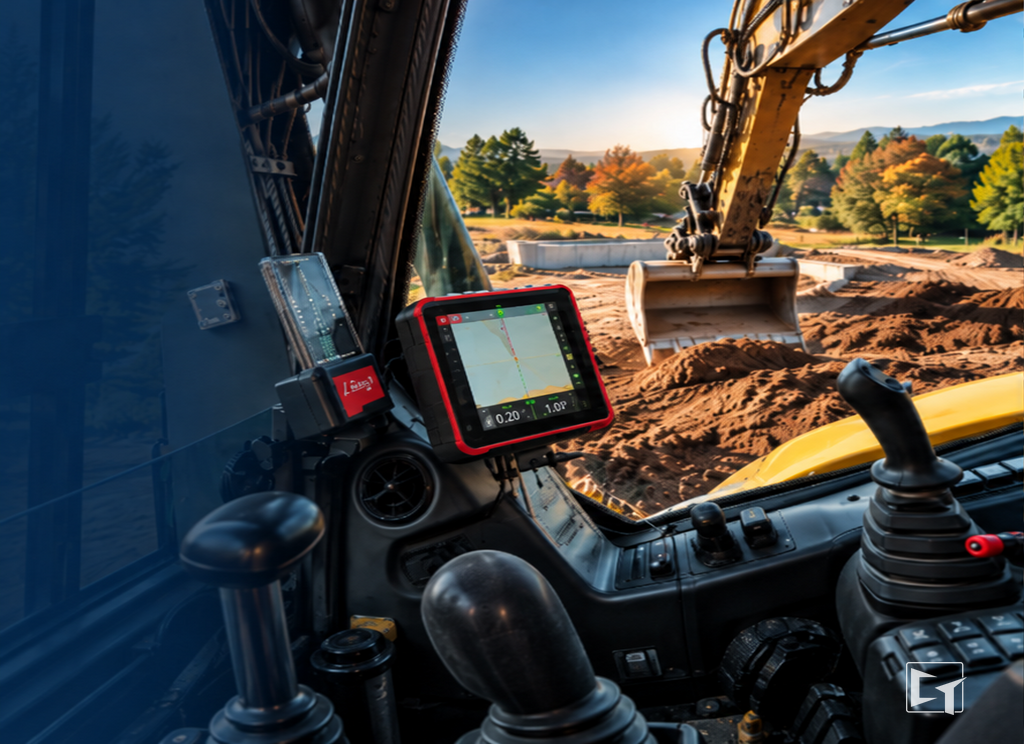 What the operator sees, from the seat
Call 1-877-866-5721
Family owned and operated. We set these systems up every week — tell us the machine and the laser you are running and we will spec it before you order.
Experience the value of Great Customer Service!


categories: